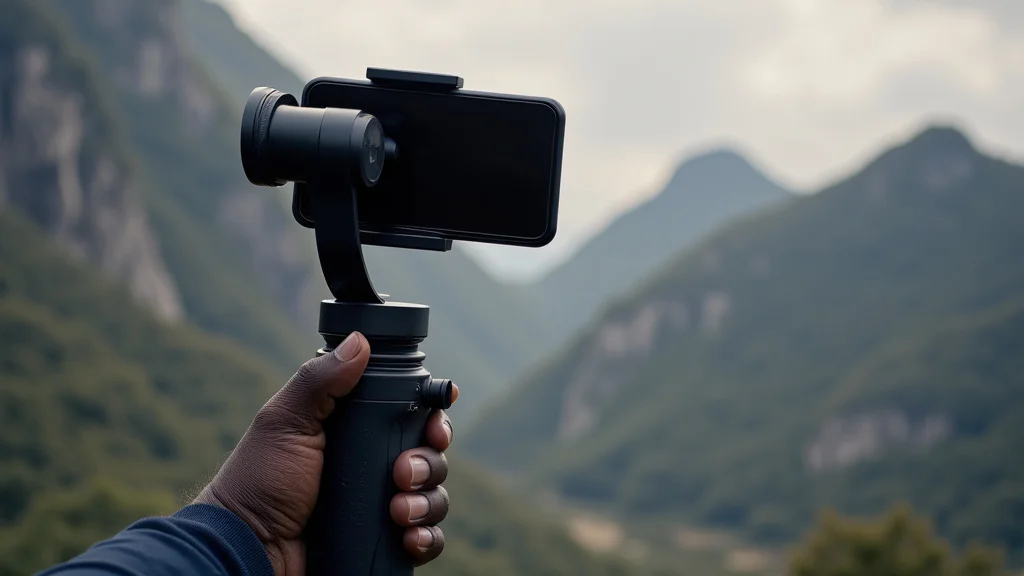
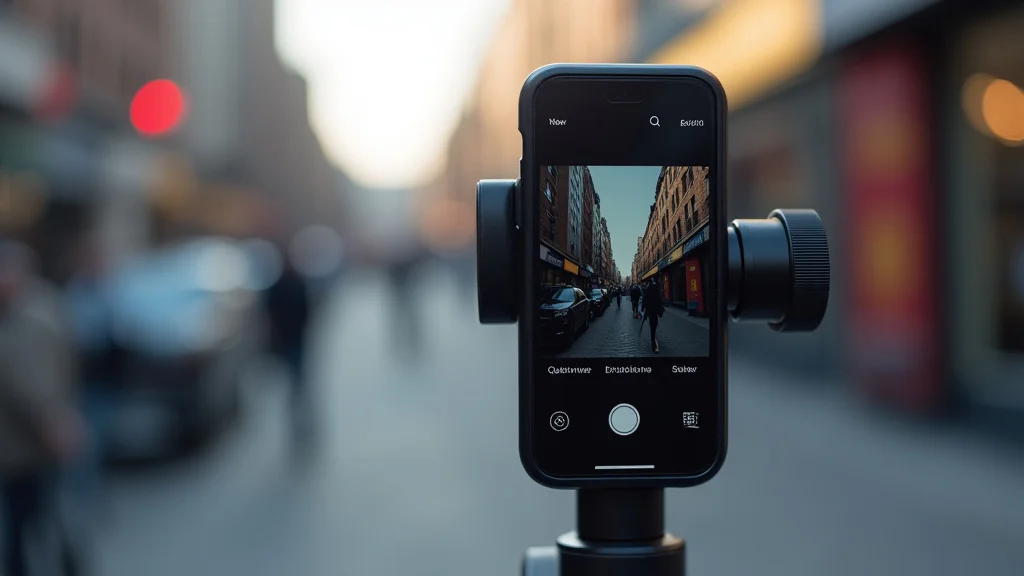
Remember that time you tried to capture a stunning sunset video, only to end up with a shaky, blurry mess? We’ve all been there! The struggle of getting smooth, professional-looking footage with a smartphone can be real. That’s where the DJI OM 5 smartphone gimbal steps in. This guide will explore everything you need to know about this handy device, from its setup and features to its creative possibilities. Get ready to elevate your mobile videography and turn your smartphone into a filmmaking powerhouse. You’ll gain a deeper appreciation for this useful tool and improve your content creation. By the end, you’ll be ready to create videos that are smooth, captivating, and ready to share.
Key Takeaways
- Understand the fundamental functions of a smartphone gimbal and how it works.
- Learn about the specific features and capabilities of the DJI OM 5 smartphone gimbal.
- Discover tips and tricks for maximizing your video quality with this device.
- Explore creative shooting techniques to enhance your storytelling skills.
- Find out how to easily edit your footage using the DJI Mimo app.
- Recognize the advantages the DJI OM 5 provides over traditional methods of capturing video.
Unboxing and Setting Up Your DJI OM 5
So, you’ve got your new DJI OM 5 smartphone gimbal! The first step is, of course, to unbox it. Inside, you’ll find the gimbal itself, a magnetic phone clamp, a tripod, a wrist strap, a charging cable, and some documentation. Take a moment to familiarize yourself with each component. The gimbal is compact and lightweight, designed to be easily carried around. The phone clamp is magnetic, making attaching and detaching your phone a breeze. The tripod provides stability for stationary shots, and the wrist strap adds an extra layer of security.
The setup process is pretty straightforward. First, unfold the gimbal. Then, attach the magnetic phone clamp to your smartphone. Next, balance your phone by adjusting its position in the clamp. Make sure your phone is centered and doesn’t tilt to one side or the other. This ensures optimal performance. Once balanced, turn on the gimbal by pressing the power button. The DJI Mimo app will automatically detect the gimbal when your phone is connected. Finally, calibrate the gimbal if necessary. This process fine-tunes the stabilization system.
Physical Design and Ergonomics
The DJI OM 5 smartphone gimbal is known for its sleek and compact design. It’s incredibly portable, easily fitting into a small bag or even a large pocket. The build quality is excellent, with a solid feel that assures durability. The ergonomic design ensures comfortable handling, even during extended shooting sessions. The grip is designed to fit comfortably in your hand, reducing fatigue. All buttons are easy to reach and operate with one hand, allowing for quick adjustments. The thoughtful placement of the controls makes operation intuitive, minimizing the learning curve.
- Compact Size: The folding design makes it exceptionally easy to carry around.
- Lightweight: The reduced weight makes it less tiresome to hold for long periods.
- Ergonomic Grip: The comfortable grip ensures a secure and comfortable hold.
- Intuitive Controls: The button layout is easy to understand, making for simple operation.
Smartphone Compatibility and Magnetic Clamp
One of the best things about the DJI OM 5 smartphone gimbal is its wide compatibility. It works with most modern smartphones. This makes it a flexible tool for a wide range of users. The magnetic phone clamp is a key feature, making it incredibly simple to attach and detach your phone. It uses a strong magnetic connection, securing your phone while still being easy to remove. The clamp is also designed to hold phones of various sizes and weights. This broad compatibility makes the gimbal suitable for almost all users. Check the DJI website for the most current compatibility list.
- Universal Compatibility: Works with most modern smartphones, iOS and Android.
- Magnetic Clamp: Attaches and detaches phones instantly.
- Secure Hold: The magnetic connection holds phones firmly in place.
- Adjustable: It can accommodate phones of various sizes.
Stabilization and Performance
The core of any gimbal is its stabilization capabilities, and this is where the DJI OM 5 smartphone gimbal truly shines. It uses a three-axis stabilization system to counteract unwanted movement. This ensures your videos are incredibly smooth, even when you’re walking, running, or panning. The gimbal’s algorithms intelligently detect and compensate for shakes, creating a polished, professional look. This results in clean and stable videos, no matter the environment. The performance is consistently reliable, giving you a smooth experience every time.
The stabilization works through a combination of brushless motors and advanced software algorithms. The motors actively move to counteract any movement detected by the internal sensors. These sensors detect even the slightest shake. The software algorithms analyze this information, calculating the necessary adjustments to keep your footage steady. The result is a seamless video experience. It removes the jarring effect of unsteady hand-held footage.
Three-Axis Stabilization Explained
The three-axis stabilization system is the heart of the DJI OM 5 smartphone gimbal. It uses three independent motors to control the movement of your phone. These motors compensate for movement in the pan, tilt, and roll axes. This means it can counteract shakes from any direction. The pan axis controls horizontal movement, the tilt axis controls vertical movement, and the roll axis controls rotation. This comprehensive approach to stabilization gives you remarkably smooth results.
- Pan Axis: Controls horizontal movement, perfect for panning shots.
- Tilt Axis: Controls vertical movement, useful for tilting your camera up and down.
- Roll Axis: Controls rotation, preventing your footage from appearing tilted.
- Overall Stability: The three axes work together for exceptionally smooth footage.
ActiveTrack and Intelligent Shooting Modes
The DJI OM 5 also boasts powerful software features. One of these is ActiveTrack, which automatically tracks a subject in motion. Select your subject in the DJI Mimo app, and the gimbal will keep them in focus, even while they move. This is amazing for recording moving objects like people or animals. This is done by using advanced object recognition to follow the person or object as they move, and you can focus on composing your shot.
The DJI OM 5 provides various intelligent shooting modes to boost creativity. These include: Timelapse, Motionlapse, and Hyperlapse. Timelapse captures time passing with stable framing, while Motionlapse adds a panning movement. Hyperlapse lets you move around while capturing a timelapse, creating dynamic videos. The Mimo app simplifies these modes. This makes them easy to use, even for newcomers to video. These modes expand your creative options.
- ActiveTrack: Tracks subjects, keeping them in focus and frame.
- Timelapse: Captures time passing with stable framing.
- Motionlapse: Adds panning movement to your timelapse videos.
- Hyperlapse: Create dynamic time-lapse videos while moving.
The DJI Mimo App: Your Creative Partner
The DJI Mimo app is the software companion to the DJI OM 5 smartphone gimbal. It provides complete control over the gimbal. It’s user-friendly and packed with features. You can easily access various shooting modes, adjust camera settings, and edit your footage directly within the app. The app also offers tutorials and resources to help you learn and get inspired. Using it is key to unlocking the full potential of your gimbal.
The app is intuitive and easy to navigate. It features a clean interface. All important controls are within easy reach. The app provides a live view of your camera feed. This lets you compose your shots with confidence. It also lets you control the gimbal’s movement. You can adjust the speed and direction of movement. This allows you to create cinematic shots with ease. Beyond video capture, the Mimo app also allows for photo capture.
Editing Features and Templates
The DJI Mimo app contains basic editing tools to let you modify your videos. You can trim clips, add music, text, and transitions. The app also features various templates that you can use to create unique videos. These templates offer ready-made effects and transitions to help you produce professional-looking footage quickly. These features make it a one-stop-shop for creating and editing your videos on the go. This is a big time-saver.
- Basic Editing: Trim clips and add music, text, and transitions.
- Templates: Offer ready-made effects for quick video creation.
- Intuitive Interface: Easy to navigate and use.
- Real-time Preview: See what your video will look like as you edit.
Smart Features and User Interface
The DJI Mimo app is full of smart features designed to improve your video creation. The app recognizes faces, allowing for better subject tracking. The app also provides automatic calibration to ensure optimal gimbal performance. The user interface is straightforward, with a design that is easy to understand. The app offers tutorials and guidance to help you along the way. All these features work together to create a streamlined video-making experience.
- Object Tracking: Tracks subjects automatically.
- Automatic Calibration: Ensures optimal gimbal performance.
- User-Friendly Interface: Makes it easy to use the app.
- Tutorials: Offer guidance and support for beginners.
Creative Shooting Techniques
The DJI OM 5 smartphone gimbal unlocks a world of creative possibilities. Explore creative ways to capture amazing video. From smooth cinematic shots to dynamic action sequences, you can elevate your video-making skills. The gimbal makes it easy to bring your vision to life. Experiment with different techniques to find what best suits your style. Try a variety of settings and methods to make unique, eye-catching videos.
One technique is to use smooth, sweeping pans to capture wide landscapes. Another is to tilt the camera to create dynamic perspective changes. You can also utilize ActiveTrack to follow moving subjects with ease. Combine these techniques to make compelling narratives. By experimenting with different angles, movements, and modes, you can greatly improve your filmmaking skills. The combination of stability and flexibility opens doors to interesting video styles.
Cinematic Shots and Movements
Use the DJI OM 5 to produce cinematic shots. These techniques add polish and professionalism to your video. Experiment with different camera movements to create engaging visual stories. Smooth pans and tilts add a sense of movement to your footage. The “dolly zoom” effect, where you zoom in while moving backward, creates a dramatic perspective shift. Also, tracking shots that follow your subject give a sense of dynamism. The gimbal’s stability ensures these movements are smooth and professional.
- Smooth Pans: For capturing wide landscapes.
- Controlled Tilts: Used to create dynamic perspective changes.
- Dolly Zoom: Creates dramatic perspective shifts.
- Tracking Shots: Used to follow your subject.
Action Shots and Creative Angles
The DJI OM 5 is well-suited for capturing action. You can film fast-paced scenarios with ease. The gimbal’s stabilization keeps your footage smooth. This allows you to capture exciting videos. You can use the gimbal’s flexibility to explore creative angles. Try shooting from low angles to create a sense of drama. Or experiment with overhead shots to show the environment. These creative choices add a special dimension to your work.
- Action Stabilization: Captures fast-paced action.
- Low Angle Shots: Used to add drama.
- Overhead Shots: Can showcase the surroundings.
- Versatile Use: Explore a range of different angles.
Maintenance and Troubleshooting
To keep your DJI OM 5 smartphone gimbal in good condition, proper care is important. Regular maintenance will guarantee optimal performance. The gimbal is a durable device. However, some simple steps will make it last for years. Keep the gimbal clean and protected from the elements. Following these tips will extend the life of your equipment. It also ensures you can capture great video for years to come.
After each use, clean the gimbal with a soft, dry cloth. This will remove any dust or debris that might affect its performance. Store the gimbal in a safe place. This will prevent damage from bumps or falls. Avoid exposing the gimbal to extreme temperatures or humidity. Charge the gimbal regularly, even when not in use. This helps to maintain battery life. With proper maintenance, your gimbal will be ready for any shot.
Cleaning and Storage
Proper cleaning and storage are vital. These actions will prolong the lifespan of your DJI OM 5. Regularly clean the gimbal with a soft, dry cloth to remove dirt. The joints and motors should be kept free from debris. When not in use, store the gimbal in its case or a safe location. Avoid direct sunlight and extreme temperatures. These can harm the internal components. Following these simple steps will help protect your investment.
- Cleaning: Use a soft cloth.
- Joints and Motors: Keep clean.
- Storage: Avoid sunlight and heat.
- Protection: Proper storage guards against damage.
Common Issues and Solutions
It’s important to be aware of common issues and how to solve them. Your gimbal might have problems sometimes. However, most issues are easily fixed. If the gimbal isn’t balancing correctly, recalibrate it using the DJI Mimo app. If the motors are behaving oddly, make sure your phone is centered. If the gimbal’s controls aren’t working, check the Bluetooth connection. Try restarting the gimbal and the app if problems persist. Regular maintenance will also help reduce the risk of potential problems.
- Improper Balancing: Recalibrate the gimbal.
- Motor Issues: Ensure your phone is centered.
- Control Problems: Check the Bluetooth connection.
- Restart: Try restarting the gimbal and app.
Real-Life Applications and Case Studies
The DJI OM 5 smartphone gimbal is an exceptional tool that has proven its usefulness in many scenarios. Here are some real-life applications. The gimbal is very useful for travel videos, where you need smooth footage while moving. It’s also great for vlogging, which demands stable video. Filmmakers use it for creating cinematic shots. By looking at these real-world uses, you can see the gimbal’s potential.
Consider a travel vlogger visiting different cities. The DJI OM 5 allows them to capture the hustle and bustle of city streets. They can easily walk and film. This leads to impressive video content. The ActiveTrack feature is crucial for following their subject. This keeps the person in the frame. These videos become shareable and get more views. This helps to improve the video’s look and feel.
Travel Vlogging
Travel vlogging is an area where the DJI OM 5 shines. The lightweight design makes it ideal for carrying on trips. The stabilization feature is perfect for walking tours. The ActiveTrack feature is useful for following the subject as they move. You can film your trips with ease. The compact size of the gimbal makes it simple to pack. You can easily film your experiences. This guarantees smooth and steady shots.
- Compact and Portable: Easy to carry.
- Stabilization: Perfect for smooth, steady shots while moving.
- ActiveTrack: Helps follow moving subjects.
- Professional Results: Ensures a polished look.
Event Coverage and Social Media
Event coverage is another area where the DJI OM 5 delivers quality. It is great for capturing moments at events, like weddings and parties. The gimbal’s stabilization makes it easy to film the action. You can also create high-quality content for social media. The gimbal is also an asset in getting your content seen. It ensures your videos are shareable and watchable. You can also get more followers.
- Stability: The gimbal delivers smooth, stable footage.
- Flexibility: The device works well in social media.
- Engaging Content: Helps create high-quality media.
- Professional: Great for social media sharing.
Common Myths Debunked
Myth 1: Smartphone Gimbals Are Only for Professionals.
In reality, the DJI OM 5 smartphone gimbal is user-friendly. It is designed for users of all skill levels. With its intuitive features and easy-to-use app, even beginners can capture great footage. The learning curve is gentle. It’s the perfect tool for beginners and experienced users. This makes professional-looking videos accessible.
Myth 2: Gimbals Are Difficult to Set Up and Use.
This is incorrect. The DJI OM 5 is simple to set up. Attaching your phone is easy with its magnetic clamp. The DJI Mimo app has a simple interface. Many tutorials are available to help you. These are there to help make sure you can get started quickly. You can be filming in minutes.
Myth 3: Stabilization Isn’t Noticeable in Smartphone Videos.
On the contrary, the stabilization offered by a gimbal is very apparent. The DJI OM 5 smartphone gimbal eliminates shaky footage. It creates much smoother videos. The difference between stabilized and non-stabilized footage is significant. The stabilized shots look more professional.
Myth 4: Gimbals Are Only for Filming.
This is not completely accurate. While the primary function is video stabilization, it greatly benefits photos, too. The gimbal helps you capture sharp photos. It keeps your smartphone steady. It’s useful in low-light environments. It expands creative options. This is also important in video.
Myth 5: All Smartphone Gimbals Are the Same.
Not at all! The quality of gimbals varies. The DJI OM 5 smartphone gimbal stands out due to its compact design, stabilization, and features. The DJI Mimo app has many useful features. It has active tracking. The build quality and software distinguish it from competitors.
Frequently Asked Questions
Question: Can I use the DJI OM 5 with any phone?
Answer: The DJI OM 5 is compatible with most modern smartphones. Check the DJI website for the specific list of compatible phones.
Question: How long does the battery last?
Answer: The battery life of the DJI OM 5 can be up to 6.4 hours, depending on usage.
Question: Does the DJI OM 5 require the use of the DJI Mimo app?
Answer: Yes, the DJI Mimo app is required to use all the features of the gimbal.
Question: Can I use the DJI OM 5 in the rain?
Answer: It’s not advisable. The DJI OM 5 is not waterproof and should be kept away from water.
Question: Can the DJI OM 5 be used for live streaming?
Answer: Yes, the DJI Mimo app supports live streaming to various social media platforms.
Final Thoughts
The DJI OM 5 smartphone gimbal offers a perfect mix of stability and creativity. It’s compact, easy to use, and packed with features. It’s a great tool for anyone interested in improving their mobile video. From travel vlogs to action shots, the OM 5 delivers professional-looking results. Whether you’re a seasoned content creator or just beginning, the OM 5 can help you create amazing videos. Explore the different features. Experiment with creative techniques. Embrace the power this gimbal puts into your hands, and get ready to create amazing video content. Your smooth, captivating videos are just a few steps away.