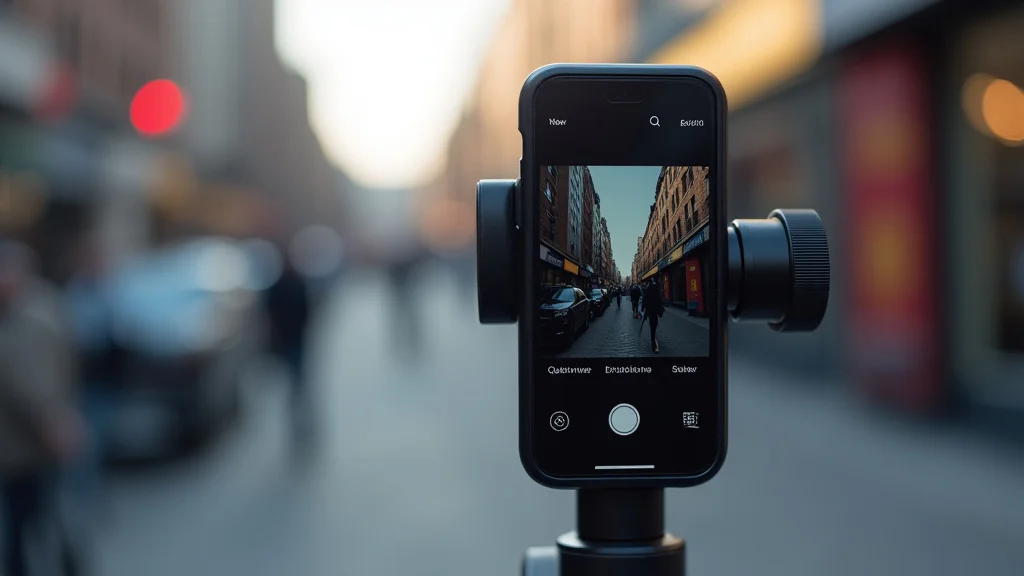
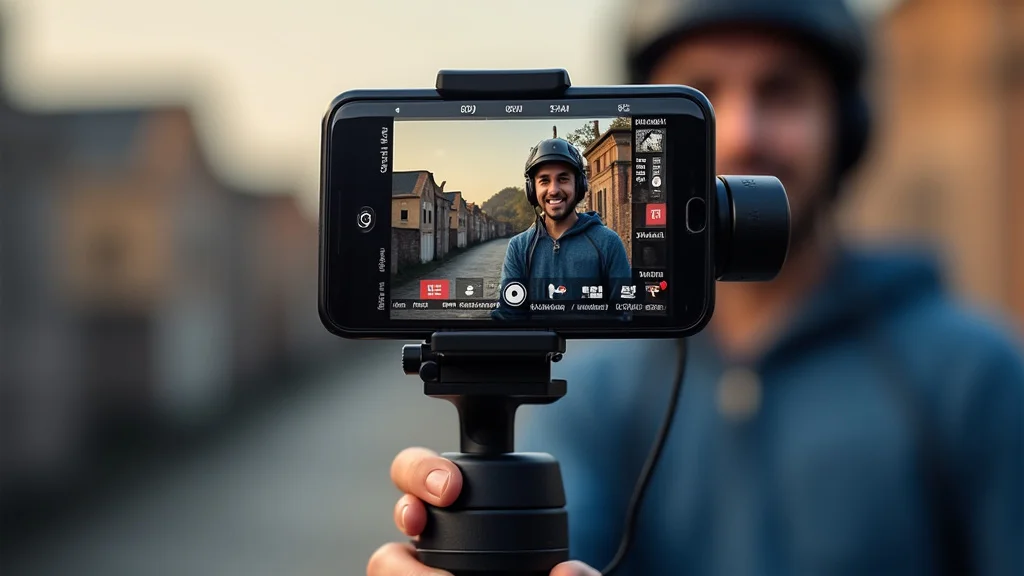
Remember that shaky video you recorded at your last family gathering? The one that made everyone motion sick? It’s a common problem, especially when you’re trying to capture those precious moments using just your phone. But what if you could have professional-looking, stable footage without lugging around heavy equipment? This guide explores the features and capabilities of the DJI OM 5 smartphone gimbal stabilizer, a game-changer for mobile filmmakers. You’ll learn how this compact device can transform your videos from shaky and amateurish to smooth and cinematic. By the end, you’ll be able to create stunning content, boosting your video production and editing skills.
Key Takeaways
- Discover how the DJI OM 5 smartphone gimbal stabilizer ensures smooth and professional-looking videos.
- Learn about the innovative features that distinguish the OM 5 from other stabilizers.
- Explore the different shooting modes and how they can elevate your videos.
- Understand the ease of setup and operation, even for beginners.
- Examine the importance of proper stabilization for social media content.
- Find out how to maximize the benefits of the DJI OM 5 for optimal video quality.
Elevate Your Mobile Videography with the DJI OM 5
The DJI OM 5 smartphone gimbal stabilizer has swiftly become a favored instrument for content creators, vloggers, and anyone looking to enhance their video quality. The digital landscape constantly demands higher standards, and audiences are increasingly drawn to professional-grade videos. This is where the OM 5 steps in. It’s not just a stabilizer; it’s a doorway to smoother, more engaging content. From documenting your travels to crafting tutorials, the OM 5 makes capturing professional videos easy. The simple setup allows you to focus on your story. The design prioritizes portability and usability.
Unboxing and Initial Setup
The unboxing of the DJI OM 5 offers a sense of premium quality. Inside the box, you’ll find the gimbal itself, a magnetic phone clamp, a tripod, and a carrying case. Also, a USB-C charging cable and the necessary documentation for getting started is included. The OM 5’s sleek, foldable design is immediately apparent, making it incredibly portable. The magnetic phone clamp is intuitive to use, quickly attaching and detaching your phone. Before your initial use, charge the gimbal fully. Then, download the DJI Mimo app, available for both iOS and Android. Register or log in using your DJI account. After connecting to your phone, activate the gimbal and follow the in-app prompts for calibration. This simple process aligns the gimbal to your phone’s weight and balance. The entire setup can be completed in a few minutes.
- What’s in the Box: The package comprises the DJI OM 5 gimbal, a magnetic phone clamp, a tripod, a carrying case, a USB-C charging cable, and essential documentation. This thoughtful selection equips users with all the necessities to start shooting right away.
- Initial Charging: Before you power up, ensure you fully charge the OM 5. This prepares it for extended usage, allowing you to maximize the benefits of its functionalities.
- App Installation: Download the DJI Mimo app from your device’s app store. The app serves as the control center, enabling you to utilize the full scope of the gimbal’s features.
- Gimbal Activation and Calibration: Activate the gimbal via the app. The calibration aligns the device with your phone, ensuring optimal balance and stabilization. This process is essential for producing smooth footage.
- Connecting to Your Phone: Pair your phone with the gimbal through the DJI Mimo app. This wireless connection enables control, shooting mode changes, and access to all of the OM 5’s features.
Exploring the Design and Portability
One of the OM 5’s standout attributes is its thoughtful design. This gimbal is made for creators on the move. Its compact and foldable build makes it easy to slip into a bag or pocket. The integrated extension rod provides extra reach, allowing for shots that would be impossible with just a phone. The ergonomic handle is shaped for comfort during extended use. The thoughtful layout of the control buttons enhances usability. The controls allow you to operate the gimbal with ease. The magnetic phone clamp design ensures a secure hold on your phone. The clamp supports a wide range of smartphone sizes. It is built to keep your phone safe even during quick maneuvers. The materials are durable, contributing to the gimbal’s long-term value.
- Foldable and Compact: The OM 5 folds down to a small size. This makes it effortless to carry.
- Built-in Extension Rod: This feature allows you to capture shots from a greater distance.
- Ergonomic Handle: The handle is designed to provide a comfortable grip.
- Intuitive Controls: The buttons are placed for easy access.
- Secure Magnetic Clamp: It securely attaches your phone.
Key Features of the DJI OM 5 Smartphone Gimbal Stabilizer
The DJI OM 5 smartphone gimbal stabilizer comes with a suite of features. These features are designed to enhance the quality of your videos. The ActiveTrack feature allows the gimbal to automatically track a subject. This ensures they are always in focus and in the frame. The ShotGuides offers tutorials and templates. These features will assist you in creating professional-looking content. Gesture Control allows you to trigger the camera without touching your phone. This is useful when you are filming yourself or a group. The built-in extension rod is a valuable asset. It provides the ability to capture wide-angle shots and creative angles. The Mimo app offers editing tools and sharing options. These enable you to fine-tune your videos and share them with ease. The gimbal also provides intelligent shooting modes, allowing you to get creative with your videos.
ActiveTrack and Subject Tracking
ActiveTrack is one of the most powerful features of the OM 5. This technology enables the gimbal to automatically track a chosen subject. The subject remains the main focus in your videos. This is achieved by using advanced algorithms. These algorithms can identify and follow individuals or objects in motion. It’s a key function for capturing action shots. ActiveTrack eliminates the need to manually adjust the camera’s focus and position. The result is smooth, consistent tracking, ideal for everything from vlogging to sports. The system also supports adjusting the subject’s tracking speed, enhancing versatility. This helps you to adapt to the speed of movement. This allows you to create different cinematic effects. The system enhances the ease of use of your video production and elevates the experience.
- Subject Selection: Choose your subject easily by drawing a box around it in the DJI Mimo app.
- Precise Tracking: ActiveTrack’s algorithms ensure consistent focus.
- Speed Adjustment: Adjust tracking speed to match the movement.
- Versatile Applications: ActiveTrack excels for moving subjects and action videos.
- Ease of Use: The feature’s intuitive interface improves efficiency.
Shooting Modes and Creative Effects
The DJI OM 5’s shooting modes provide a spectrum of creative possibilities. These modes enable users to create unique and visually appealing content. The modes include, but are not limited to, Timelapse, Motionlapse, and Hyperlapse. Timelapse condenses long durations into a single, dynamic video. Motionlapse offers a path for incorporating camera movement. Hyperlapse allows you to capture time-lapse videos while moving the camera. Panorama mode allows you to capture broad, high-resolution landscapes. These modes expand your creative toolset. They allow you to transform ordinary scenes into artistic pieces. The DJI Mimo app is key to these shooting modes. It will allow you to quickly apply these effects without the need for complex editing. The modes are designed to accommodate both beginners and experienced creators.
- Timelapse: Transforms long periods into a short video.
- Motionlapse: Incorporates camera movement.
- Hyperlapse: Create moving time-lapse videos.
- Panorama: Captures expansive landscapes.
- User-Friendly: The app’s intuitive interface enhances accessibility.
The DJI Mimo App
The DJI Mimo app is the central hub for operating the OM 5. This app is more than a control interface. It is a comprehensive platform, providing a suite of editing and creative tools. Users can adjust the gimbal settings, control shooting modes, and use intelligent features. The app integrates with the OM 5 to provide a seamless video creation experience. It offers a variety of editing tools, including trimming, color grading, and music addition. The easy-to-use interface makes video editing simple. You can fine-tune your footage within the app. The app also allows direct sharing on social media. This feature reduces the workflow. The Mimo app supports both iOS and Android. This provides a user-friendly and feature-rich experience for all users. The app’s versatility is a key component to the OM 5’s appeal.
- Gimbal Control: Provides complete control over gimbal functionality.
- Editing Tools: Includes trimming, color adjustment, and music options.
- Shooting Mode Integration: Allows access to all shooting modes.
- Direct Sharing: Facilitates direct social media sharing.
- User-Friendly Interface: Offers a straightforward experience.
Maximizing Your Experience with the DJI OM 5
The DJI OM 5 smartphone gimbal stabilizer opens many doors for your mobile videography. To use the full potential of this device, a bit of practice and an understanding of its capabilities are required. Here are tips to help you get the best possible results. Begin by getting familiar with the controls and the DJI Mimo app. The key is to start experimenting with various modes and settings. This will allow you to learn the features and how they interact. Proper lighting is essential for great video quality. Consider shooting in well-lit conditions or using external lights. Ensure your phone’s camera settings are optimized for your desired video quality. Stabilizing and smoothing your videos will significantly improve your videos. The OM 5 is ideal for capturing smooth shots on the go. Experiment with different angles and perspectives. This will keep your content engaging. Consistent practice and a willingness to explore will help you improve your videography.
Tips for Smooth and Professional Footage
Achieving smooth, professional-looking footage with the DJI OM 5 starts with a few key techniques. Before you begin shooting, consider balance. Make sure your phone is correctly mounted and balanced within the gimbal. This is a crucial step for optimal stabilization. Keep a steady grip on the handle, and adjust your movements. Smooth, controlled actions will prevent jerky camera motions. Try to avoid sudden shifts. Instead, make slow, controlled transitions. Keep the gimbal upright and maintain your balance when walking. If you are walking while recording, try to keep your weight balanced, which will minimize shakes. When you are using features like ActiveTrack, make certain that your subject is not obscured. Use features such as the built-in extension rod. This is a simple trick to capture unique, creative angles that can enhance your videos.
- Proper Balance: Balance your phone in the gimbal.
- Smooth Movements: Use gentle, controlled camera moves.
- Controlled Walking: Maintain your balance.
- Steady Grip: Maintain a firm grip.
- Experiment with Angles: Get creative with angles.
Lighting and Composition
Lighting and composition are critical to making high-quality videos. Good lighting can drastically improve your footage. Whenever possible, shoot in natural light, as it often yields the best results. If you are indoors or in low-light environments, consider using supplemental lighting. You may want to invest in a ring light or portable LED panel. This will help you achieve a well-lit video. Follow basic composition rules. The “rule of thirds” is a great way to visually balance your shots. Position your subject along the lines or at the intersection. You can make an eye-catching video by making a variety of shots and angles. Varying your shots, combined with natural lighting and good composition, will make your videos better. Always consider the visual narrative and the story.
- Use Natural Light: Shoot outdoors for the best results.
- Supplemental Lighting: Consider additional lighting.
- Rule of Thirds: Position subjects along the grid lines.
- Vary Shots: Create visual interest.
- Narrative: Always consider your story.
Troubleshooting and Common Issues
While the DJI OM 5 is generally easy to use, you might face some common issues. Here are some solutions to commonly encountered issues to help troubleshoot your video experience. If your gimbal is not connecting to the app, check your Bluetooth connection. Ensure both your phone and the gimbal’s firmware are up-to-date. If your footage looks shaky despite using the gimbal, re-calibrate the device. Recalibration aligns the gimbal’s sensors. If ActiveTrack does not function correctly, make sure your subject is clearly visible. Remove any obstacles in the way. If the battery life seems short, adjust the settings. Reduce screen brightness and avoid prolonged use of energy-consuming features. Consult the DJI user manual for additional guidance. These steps will help you quickly resolve issues. This helps you get back to creating great content.
- Connection Issues: Check your Bluetooth and firmware.
- Shaky Footage: Re-calibrate the gimbal.
- ActiveTrack Problems: Ensure a clear line of sight.
- Short Battery Life: Adjust settings to save power.
- User Manual: Check the manual for more guidance.
Common Myths Debunked
Myth 1: Smartphone Gimbal Stabilizers Are Only For Professionals
Many think that only seasoned video professionals can use smartphone gimbal stabilizers. However, this is untrue. The DJI OM 5 smartphone gimbal stabilizer is designed with accessibility in mind. The app’s intuitive interface, automatic modes, and ease of use make it great for beginners. It’s an excellent tool for anyone who wants to improve their video quality. The setup and use are simple. The learning curve is not that steep. The features allow both beginners and professionals to capture quality content. The accessibility of the OM 5 makes professional-level video accessible to anyone.
Myth 2: Gimbal Stabilizers Are Difficult to Master
It’s easy to assume that using a gimbal stabilizer is complex. While mastering all of its features takes time, the core functions are easy. The OM 5 is easy to learn. It uses a range of features. The auto modes and the simple layout are designed to ease the user into the creation process. By experimenting with the controls, shooting modes, and exploring the features, one can quickly become comfortable. The DJI Mimo app contains all the tools you need. With regular use and practice, it is easy to become comfortable with video production.
Myth 3: Gimbal Stabilizers Can Only Improve Video Stability
Gimbal stabilizers are commonly seen just as a means to stabilize video footage. This is incorrect. While stability is a key benefit, the OM 5 does much more. It enhances creativity through shooting modes like time-lapse and panorama. These modes are impossible without the assistance of a gimbal. Additionally, features like ActiveTrack offer new ways to approach subjects. The OM 5 is a versatile instrument that offers smooth, high-quality video. This makes it a great choice for mobile video recording.
Myth 4: Gimbal Stabilizers Are Only For Specific Phones
Some people think that gimbal stabilizers are just for certain types of phones. This is a common misconception. Most gimbal stabilizers, including the DJI OM 5, are built to work with many different smartphone models. The design accommodates a range of phone sizes. The magnetic clamp ensures a strong grip. The OM 5’s wide compatibility enables anyone with a smartphone to make better videos. Compatibility is easy to confirm. You can find out more about compatibility in the specifications.
Myth 5: Gimbal Stabilizers Are Expensive
Some think that gimbal stabilizers are only for those with a lot of money. However, the price of the DJI OM 5 smartphone gimbal stabilizer is reasonable for the features. The quality-to-cost ratio makes it a good option for all levels of content makers. Many stabilizers may be more expensive than the OM 5. This makes it an affordable option for people that are new to this technology. A quality gimbal is a smart investment. It allows people to boost their video production without breaking the bank.
Frequently Asked Questions
Question: Can I use the DJI OM 5 with any smartphone?
Answer: The DJI OM 5 is designed to work with most smartphones. Compatibility information is provided by DJI.
Question: How long does the battery last?
Answer: The battery life of the OM 5 is generally around 6-8 hours, depending on usage.
Question: Can I control the OM 5 without using the app?
Answer: You can use the physical controls on the gimbal for basic functions.
Question: Does the OM 5 include a tripod?
Answer: Yes, the DJI OM 5 comes with a small tripod.
Question: Is it easy to edit videos within the DJI Mimo app?
Answer: Yes, the DJI Mimo app offers basic editing tools.
Final Thoughts
The DJI OM 5 smartphone gimbal stabilizer is more than just a tool. It’s a pathway to enhancing your mobile video production. This compact and user-friendly device empowers anyone to create professional-quality videos. Whether you’re a beginner or an experienced content creator, the OM 5’s features provide a wide range of benefits. With its smooth stabilization, intuitive design, and versatile shooting modes, you can elevate your videos from basic to cinematic. Get familiar with the features, practice the techniques, and embrace the creativity that the OM 5 offers. Don’t hesitate to explore and experiment. Take advantage of its capabilities and elevate your storytelling. The OM 5 is more than a gimbal. It is an investment in your creativity and skill.