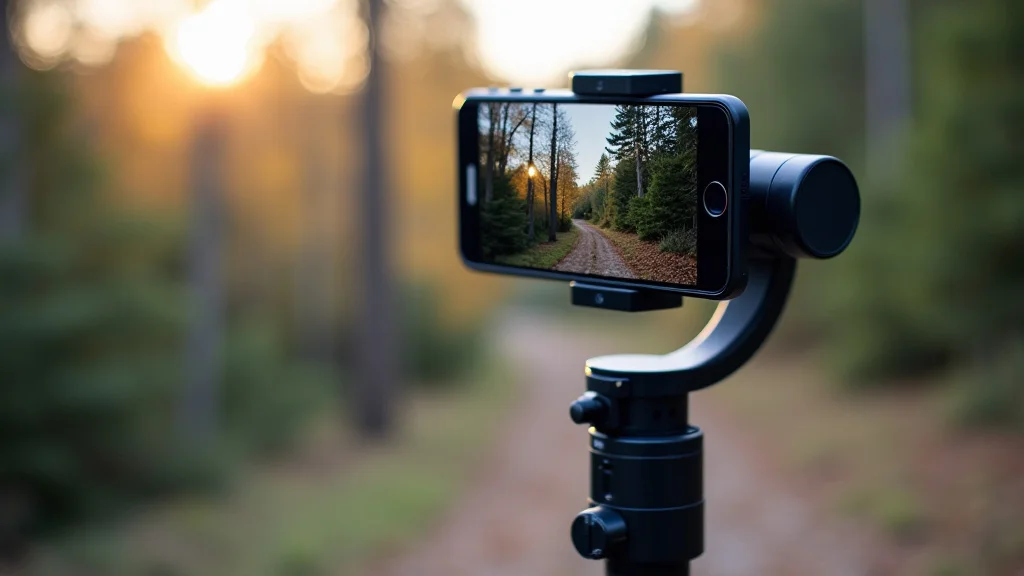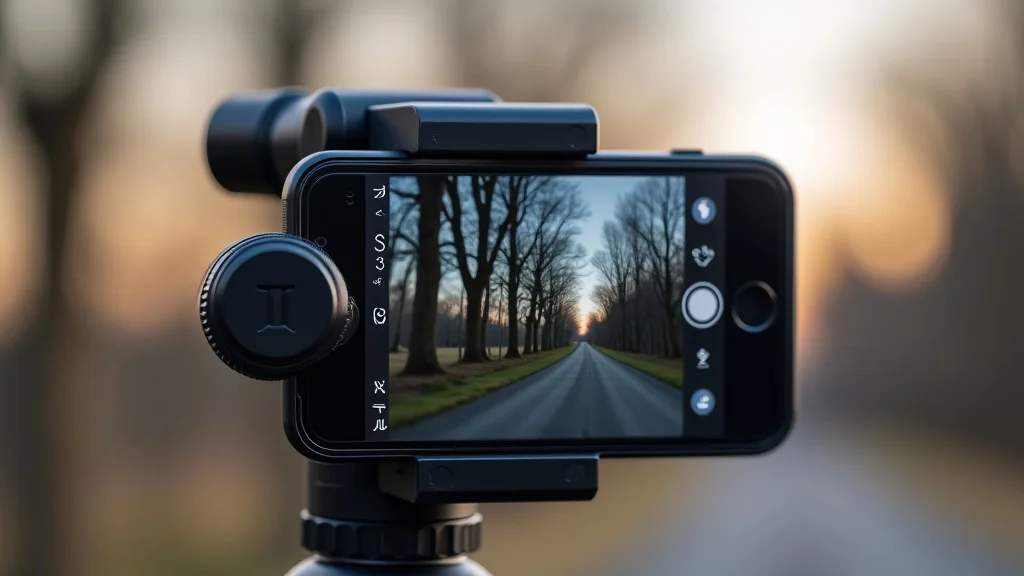
Many people want to make their videos look smooth and professional, like the ones they see online. Getting a gimbal for smartphone and camera sounds like the perfect solution. But for beginners, it can seem a bit confusing with all the different types and features available.
You might wonder which one is right for you or if it’s too complicated to use. Don’t worry! We’ll walk through everything step by step, making it super simple.
We will help you pick the best gimbal and show you how easy it is to get amazing, steady shots. Let’s get started and make your videos shine.
Key Takeaways
- You will learn what a gimbal does and why it’s important for smooth video.
- We will explain the different types of gimbals for phones and cameras.
- You will find out the key features to look for when buying a gimbal.
- We will give you tips on how to choose the right gimbal for your needs.
- You will discover simple ways to use your gimbal for better videos.
- Common misunderstandings about gimbals will be cleared up.
What Is A Gimbal For Smartphone And Camera
A gimbal is a device that uses motors and sensors to keep your camera or smartphone steady. It helps your footage look super smooth, even when you are walking, running, or moving around a lot. Think about watching a shaky video versus one that glides along with the action.
The gimbal makes all the difference. It stops unwanted shaking and wobbling, which can really distract viewers. This tool is essential for anyone wanting to create polished, professional-looking videos, whether for social media, vlogging, or filmmaking.
How A Gimbal Works
Gimbals work by using gyroscopes and accelerometers to detect movement. These sensors constantly monitor how the device is tilting, panning, or rolling. The gimbal’s motors then react instantly to counteract any unwanted motion.
This process is called stabilization. It’s like having an invisible hand smoothing out all your movements.
The stabilization happens across multiple axes, usually three: pitch (up and down), roll (tilting side to side), and yaw (panning left and right). For example, if you tilt your camera down, the gimbal’s motor will tilt it back up by the same amount. This constant correction results in very stable video footage.
This technology is crucial because our hands naturally shake a little. Even slight movements can be very noticeable on video, especially when using longer lenses or recording in high detail. A gimbal eliminates most of this shakiness, giving your videos a cinematic quality that’s hard to achieve otherwise.
It also allows for creative shots like smooth tracking shots or rotating pans.
Why You Need A Gimbal
If you want your videos to look professional, a gimbal is a must-have. Shaky footage can make your audience feel seasick or just not take your content seriously. A gimbal instantly upgrades the quality of your videos, making them more engaging and pleasant to watch.
It’s especially useful for action shots, interviews, travel vlogs, and any situation where you’ll be moving.
Imagine filming a walk through a bustling market. Without a gimbal, the video would bounce around with every step. With a gimbal, the camera glides smoothly, letting the viewer focus on the sights and sounds without being bothered by jitters.
This kind of smooth motion creates a more immersive experience for the viewer. It also makes it easier to capture detailed shots without the subject appearing blurry.
Furthermore, gimbals enable creative camera movements. You can perform smooth, sweeping panoramas, dramatic low-angle shots, or follow-cam shots with ease. These cinematic techniques add a professional touch that can make your content stand out.
For anyone serious about video creation, a gimbal is a significant investment that pays off in dramatically improved video quality.
Gimbal For Smartphone And Camera Differences
When looking for a gimbal for smartphone and camera, you’ll notice they come in different designs. Gimbals for smartphones are generally smaller, lighter, and designed to hold a phone securely. They often connect to your phone via Bluetooth for camera control.
Camera gimbals are usually larger and more robust to support the weight of DSLRs, mirrorless cameras, or even cinema cameras. These often have more advanced features like higher payload capacity, longer battery life, and more complex control options. Some gimbals are versatile enough to work with both, often through different mounting plates or adapters.
The main difference lies in the payload capacity – how much weight the gimbal can handle. A smartphone is much lighter than a professional camera with a lens. Therefore, a smartphone gimbal might not be strong enough for a camera, and a camera gimbal might be overkill and more expensive for just a phone.
Choosing the right one depends entirely on what you plan to film.
Types Of Gimbals
There are several types of gimbals available, each with its own strengths. Understanding these differences will help you find the perfect fit for your shooting needs. Whether you’re using a phone or a dedicated camera, there’s a gimbal designed to make your footage look incredible.
We’ll cover the main categories so you can make an informed choice.
Handheld Gimbals
Handheld gimbals are the most common type. They are designed to be held in one hand and offer excellent stabilization for video recording. These are perfect for vloggers, travel videographers, and anyone who needs portable, smooth footage.
They are easy to set up and use, making them great for beginners.
These gimbals typically have a handle and a motorized head that holds your device. The motors work to counteract any shake or tilt. Many handheld gimbals are foldable, making them easy to pack in a bag.
They often come with various shooting modes, like follow mode, pan mode, and lock mode, which allow for different creative shots.
The technology in handheld gimbals has advanced rapidly. Many now feature advanced AI tracking, allowing the gimbal to follow a subject automatically. They also have improved battery life, often lasting several hours on a single charge.
Some models can even charge your phone while you’re filming, which is incredibly useful for long shooting days.
Stabilization Modes Explained
- Pan Follow Mode: This mode allows the gimbal to smoothly follow your left-to-right movements. It’s great for tracking a subject as they walk or for creating smooth panning shots. The up-and-down movements are restricted to maintain a level horizon.
- Lock Mode: In this mode, the gimbal keeps the camera pointing in one fixed direction, no matter how you move the handle. This is useful for keeping a subject centered in the frame while you move around them or for creating dramatic shots where the background moves but the subject stays put.
- Follow Mode (or Full Follow Mode): This mode allows the gimbal to follow all your movements – pan, tilt, and roll. This is the most versatile mode and is ideal for general shooting and capturing dynamic action. It provides the most fluid and responsive feel.
- Sport Mode: This is an advanced setting found on some gimbals that allows for faster response times. It’s designed to keep up with quick, jerky movements, making it perfect for filming sports or other fast-paced activities.
Smartphone Specific Gimbals
These gimbals are built exclusively for mobile phones. They are usually more affordable and lightweight than camera gimbals. Many come with apps that offer advanced camera controls, such as object tracking, time-lapse, and slow-motion.
Smartphone gimbals often have integrated phone holders that are adjustable. They connect to your phone via Bluetooth or Wi-Fi, allowing you to control camera functions like starting/stopping recording, zooming, and taking pictures directly from the gimbal handle. This integration makes the shooting process much more seamless.
Some of the latest smartphone gimbals also feature built-in LED lights for better illumination or advanced AI features that can recognize and track faces or specific objects. They are designed for ease of use, meaning you can often get them working and start filming in just a few minutes. This makes them a popular choice for social media creators and casual videographers.
For instance, DJI’s Osmo Mobile series is a well-known example. These gimbals are praised for their intuitive controls, excellent stabilization, and robust app features. They are a prime example of how far smartphone gimbal technology has come, offering professional-level video capabilities to anyone with a modern smartphone.
Camera Gimbals
Camera gimbals are designed to support heavier payloads, meaning they can hold DSLRs, mirrorless cameras, and even professional cinema cameras. They are built with more powerful motors and sturdier construction to handle the weight and balance requirements of these devices.
These gimbals often have more advanced features, such as multiple mounting points, professional control interfaces, and longer battery life. They are typically used by filmmakers, wedding videographers, and professional content creators who require the highest level of stability and control.
Balancing a camera on these gimbals can be more complex than with a smartphone. It requires careful adjustment of the camera’s position and the gimbal’s arms to ensure smooth operation. However, once balanced, the stabilization quality is exceptional, allowing for complex camera movements that would be impossible otherwise.
Brands like Zhiyun Crane and Ronin offer a range of popular camera gimbals.
Camera Gimbal Payload Capacity
Payload capacity is the maximum weight a gimbal can effectively stabilize. This is a critical specification for camera gimbals. If your camera and lens combination exceeds the gimbal’s payload, the motors will struggle, leading to jerky footage or complete failure to stabilize.
For example, a small mirrorless camera with a pancake lens might weigh around 1-1.5 kg. A mid-range DSLR with a standard zoom lens could be 2-3 kg. Professional cinema cameras with large lenses can weigh 5 kg or more.
You need to choose a gimbal that can comfortably handle the weight of your heaviest camera setup.
It’s always recommended to choose a gimbal with a payload capacity slightly higher than your expected maximum load. This provides a buffer and ensures the motors are not working at their absolute limit, which can extend the gimbal’s lifespan and improve performance. Always check the manufacturer’s specifications for precise payload ratings.
360-Degree Gimbals
While most gimbals stabilize along three axes, some specialized gimbals offer 360-degree rotation on one or more axes. This allows for incredibly dynamic shots, like seamless 360-degree spins or orbit shots around a subject. These are often used in professional filmmaking for creative effects.
These are not your everyday gimbals for simple stable video. They are more about creating unique visual styles. Some drone gimbals, for instance, offer 360-degree yaw, allowing the camera to turn freely while the drone flies.
The application depends heavily on the specific gimbal’s design and capabilities.
Choosing The Right Gimbal
Selecting the right gimbal for your smartphone or camera is an important decision that impacts your video quality. Many factors need consideration, from your budget to the type of content you create. We’ll break down the key features to help you make the best choice.
This will ensure you get a tool that perfectly matches your filming style and needs.
Consider Your Device
The first step is to identify what you’ll be filming with.
- Smartphone: If you mainly use your smartphone for videos, a dedicated smartphone gimbal is likely your best bet. They are cost-effective, lightweight, and optimized for phone use. Look for features like easy mounting, Bluetooth connectivity for camera control, and app integration.
- Mirrorless or DSLR Camera: For these cameras, you’ll need a camera gimbal with a sufficient payload capacity. Consider the combined weight of your camera body and your most frequently used lenses. Features like multiple mounting options and robust build quality become more important here.
- Action Camera: Action cameras like GoPros can often be mounted on smaller smartphone gimbals or dedicated action camera gimbals, which are designed to be very compact and rugged.
For instance, if you are a travel vlogger who shoots with an iPhone, a DJI Osmo Mobile or a Zhiyun Smooth series gimbal would be ideal. They are portable, easy to use, and offer great stabilization. If you are a wedding videographer using a Canon EOS R6 and a few lenses, you would need something like a Zhiyun Crane 3S or a DJI RS 2, which can handle the weight and offer advanced controls.
Payload Capacity
As discussed earlier, this is critical. Always check the gimbal’s maximum payload capacity and compare it to the weight of your camera and lens. Don’t forget to account for accessories like microphones or external monitors if you plan to use them.
A common mistake is buying a gimbal that is too small for the camera. This leads to poor performance. For example, if a gimbal has a 2kg payload capacity, and your camera setup weighs 2.5kg, the gimbal will struggle.
This can result in jerky footage, motors overheating, or the gimbal not working at all.
Most manufacturers list the payload capacity clearly. It’s wise to choose a gimbal that can handle about 20-30% more weight than your typical setup. This ensures reliable performance and longevity for the gimbal’s motors.
Battery Life
If you plan on long shooting days, battery life is a crucial factor. Most gimbals offer several hours of operation, but this can vary significantly. Some gimbals have swappable batteries, allowing you to carry spares and keep shooting without long downtimes.
For example, some smartphone gimbals might offer 8-10 hours of use, while larger camera gimbals might offer 10-12 hours or more. If you’re on a documentary shoot or a full-day event, you’ll need a gimbal that can last. A quick charging feature can also be a lifesaver.
Consider how you typically shoot. If you’re shooting short clips throughout the day, then average battery life might be sufficient. However, if you’re planning to film extended sequences, such as long takes for a film or a continuous live event, investing in a gimbal with exceptional battery life or one that supports external power banks is essential.
Portability And Build Quality
Think about where and how you’ll be using your gimbal. If you travel a lot or need to move quickly, a lightweight, foldable gimbal is ideal. For more demanding professional work, a sturdier build might be more important, even if it’s heavier.
Some gimbals are designed to fold down into compact sizes, making them easy to fit into a backpack. Others are more rigid and might require a dedicated case for transport. The materials used also affect durability.
Aluminum alloys are common for their balance of strength and weight.
For example, a vlogger who moves between locations frequently will appreciate a gimbal that is easy to set up and take down. A filmmaker shooting on location in rugged terrain might prioritize a gimbal that can withstand more abuse. Always read reviews to gauge the real-world build quality and portability.
Features And Controls
Beyond basic stabilization, gimbals offer various features.
- Intelligent Tracking: Many gimbals can track subjects automatically, keeping them in focus and centered in the frame. This is great for vlogging or filming dynamic events.
- App Integration: Most smartphone gimbals come with companion apps that provide advanced controls, editing tools, and access to special shooting modes like time-lapses or motion-lapses.
- Panorama Modes: Some gimbals can create automated panoramic photos or videos.
- Control Joysticks and Buttons: The layout and responsiveness of buttons and joysticks are important for smooth operation. Customizable buttons can be very useful for quick access to your most-used settings.
- Focus Pulling: Higher-end camera gimbals may have follow-focus systems that allow you to control the focus of your camera remotely from the gimbal handle.
The features you need depend on your style. If you’re filming yourself, intelligent tracking is a huge plus. If you’re doing more cinematic work, focus pulling and advanced control options become essential.
It’s worth spending time exploring the different modes and controls to see what suits your workflow best.
Example Comparison Table
| Feature | Smartphone Gimbal Example | Camera Gimbal Example |
|---|---|---|
| Payload Capacity | Up to 300g (for most phones) | 2kg – 5kg+ (for various cameras) |
| Battery Life | 8-12 hours | 10-18 hours |
| Portability | Highly foldable, lightweight | Often folds, but heavier |
| Key Features | Object tracking, app control, time-lapse | Follow focus, advanced controls, higher stabilization |
| Price Range | $80 – $250 | $300 – $1000+ |
Using Your Gimbal Effectively
Getting a gimbal is the first step; learning to use it well is the next. With a little practice, you can make your videos look incredibly professional. We’ll cover some essential tips and techniques to help you master your gimbal and capture stunning footage.
Balancing Your Gimbal
This is the most crucial step before you even turn your gimbal on. Proper balancing ensures the motors work efficiently, provides the best stabilization, and prevents damage.
First, ensure your camera or smartphone is powered off. Mount your device securely onto the gimbal’s mounting plate. Then, one by one, adjust the arms of the gimbal so that your device remains balanced in each position:
- Horizontal Arm Balance: Adjust the arm so your device stays level when you tilt it forward or backward.
- Vertical Tilt Axis: Loosen the tilt axis lock and let your device tilt freely. Adjust the position of your device on the mounting plate until it stays in place without drifting forward or backward when you tilt it up or down.
- Roll Axis: Rotate the roll axis so your device stays perfectly horizontal. If it drifts to one side, adjust its position on the mounting plate.
- Pan Axis: Once all other axes are balanced, loosen the pan axis lock. Your device should now stay put wherever you point it without drifting.
Take your time with this process. It might take a few tries, especially with a new setup. A well-balanced gimbal will feel effortless to move and will provide the best possible stabilization.
Smooth Movement Techniques
The key to great gimbal footage is smooth, controlled movements. Avoid jerky stops and starts.
- Walk Naturally: When walking, try to mimic the rhythm of the camera’s movement. Bend your knees slightly to absorb any up-and-down motion. Think of it as dancing with the camera.
- Gentle Inputs: When panning or tilting, use very gentle pressure on the joystick or handle. Avoid sudden movements. Let the gimbal do the work.
- Practice Slow Pans: Slow, deliberate pans are often more effective than fast, shaky ones. Practice sweeping 180-degree turns smoothly.
- Use Follow Mode: For most general shooting, “Follow Mode” is excellent. It allows the camera to follow your horizontal movements while staying level.
For example, when filming a scene where you are walking towards a subject, try to keep your steps consistent and your upper body stable. Use your arms to guide the gimbal gently, rather than forcing it. This will result in a professional-looking tracking shot that immerses the viewer.
Utilizing Different Shooting Modes
Experiment with the various shooting modes your gimbal offers. Each mode is designed for specific types of shots.
- Lock Mode: Use this when you want to keep the camera locked onto a specific point in the scene, perhaps while you walk around it. It’s great for creating a sense of orbiting or focusing attention on one element.
- Pan Follow: This is ideal for creating smooth tracking shots as you move horizontally. It’s perfect for following a person walking or driving.
- Sport Mode: If you are filming fast action like sports or a chase scene, Sport Mode allows the gimbal to react more quickly to your movements, capturing dynamic shots without losing stabilization.
Consider filming a car driving down a scenic road. You could use Pan Follow mode to track the car smoothly from the side. Or, if you were filming a basketball game, Sport Mode would be essential to keep up with the fast-moving players.
Understanding when to use each mode unlocks creative possibilities.
Creative Shots With A Gimbal
Once you’re comfortable with basic operation, you can explore more creative shots.
- Orbit Shots: With careful joystick control, you can create an “orbit” effect, where the camera circles a subject. This requires smooth, consistent movement around the subject.
- Dolly Zoom (Vertigo Effect): While often done in post-production, some gimbals with focus control can assist in creating a similar effect in-camera. This involves moving the camera forward or backward while zooming in the opposite direction.
- Time-Lapse and Hyper-Lapse: Many gimbal apps include built-in time-lapse functions. You can set the gimbal to move slowly over a period, creating a dynamic time-lapse video. Hyper-lapse involves moving the camera between shots, which requires precise movements.
A great example is filming a sunset. You could set up a time-lapse, allowing the gimbal to slowly pan across the sky as the colors change. Or, for an orbit shot, imagine filming a dancer.
You could circle them slowly while they perform, creating a dynamic and engaging visual. The key is practice and experimentation.
Common Myths Debunked
There are a few common misunderstandings about gimbals that might prevent people from trying them. Let’s clear up some of these myths so you can see how accessible and beneficial they truly are.
Myth 1: Gimbals Are Too Difficult To Use For Beginners
This is a common concern, but modern gimbals are designed with user-friendliness in mind. While there’s a learning curve, the basic setup and operation are quite straightforward. Many come with intuitive apps and simplified controls.
The most important step, balancing, is something anyone can learn with a little patience. Once balanced, operating most gimbals is as simple as holding them and gently guiding them.
Myth 2: You Need Expensive Equipment To Use A Gimbal
Not at all! While professional camera gimbals can be pricey, there are many excellent and affordable gimbals available specifically for smartphones. These devices allow you to achieve professional-looking footage using the phone you likely already own.
The quality improvement can be dramatic, even with a basic smartphone gimbal.
Myth 3: Gimbals Are Only For Action Videos
While gimbals are fantastic for action shots because they stabilize movement, they are useful for all kinds of video. They add a cinematic smoothness to interviews, travel vlogs, real estate tours, product showcases, and even simple family videos. Any situation where you want steady, professional-looking footage can benefit from a gimbal.
Myth 4: Gimbal Footage Is Always Overly Smooth And Unnatural
The goal of a gimbal is to remove unwanted shakiness, not to create a robotic, gliding effect that feels detached. When used correctly, the stabilization enhances the natural flow of movement, making footage feel more immersive and professional, not artificial. Skilled users can achieve very subtle and natural-looking movements.
Frequently Asked Questions
Question: What is the main purpose of a gimbal
Answer: The main purpose of a gimbal is to stabilize your camera or smartphone, preventing shaky footage and allowing for smooth, fluid movements. This results in more professional-looking videos.
Question: Can I use my smartphone gimbal with my DSLR camera
Answer: Generally, no. Smartphone gimbals are designed for the light weight of phones. DSLR cameras are much heavier and require a dedicated camera gimbal with a higher payload capacity.
Question: How long does it take to balance a gimbal
Answer: For beginners, it might take 5-10 minutes. With practice, you can usually balance a gimbal in 1-3 minutes.
Question: Do I need a special app to use a gimbal
Answer: For smartphone gimbals, a companion app is usually recommended to access advanced features like object tracking, time-lapses, and camera controls. Many camera gimbals also have apps for firmware updates and advanced settings.
Question: Are gimbals waterproof
Answer: Most gimbals are not waterproof. They are typically designed for use in dry or lightly damp conditions. Exposure to heavy rain or submersion can damage the electronics and motors.
Summary
Getting a gimbal for your smartphone or camera is a fantastic way to improve your video quality. We’ve shown you what they are, the different types available, and what features matter most. Remember to balance your device properly and practice smooth movements.
With the right gimbal and a little practice, you can create amazing, stable videos. Start exploring and enjoy making your content shine.